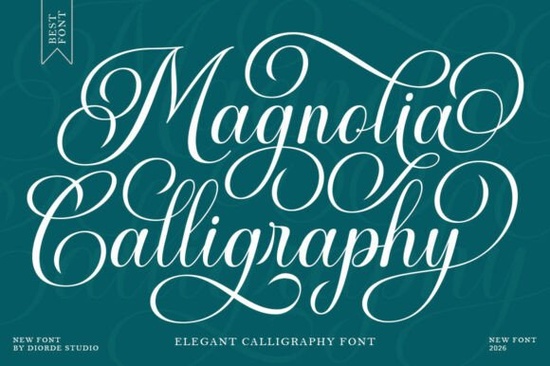
If you're looking for an elegant script font that feels both timeless and fresh, the Magnolia Calligraphy typeface deserves your attention. It brings together the refined beauty of classic copperplate calligraphy with a slightly bold, modern weight making it a strong choice for wedding invitations, branding, packaging, and other projects where a polished, feminine aesthetic matters.
What Makes This Font Stand Out From Other Script Fonts?
A lot of calligraphy fonts fall into two camps: overly ornate and hard to read, or too plain to feel special. This stylish script typeface finds a comfortable middle ground. It's clean, legible, and carries a distinct personality without going overboard.
The slightly bold weight gives it a confident presence, both on screen and in print. The letter connections flow naturally, and the included stylistic alternatives let you adjust the look depending on your project. From luxury beauty branding to a heartfelt greeting card, the font adapts well to different creative directions.
What Projects Is It Good For?
This font works across a surprisingly wide range of design work. Here are some of the most popular uses:
- Wedding invitations and event stationery
- Logo design for beauty, fashion, and lifestyle brands
- Restaurant menus and café branding
- Book covers and magazine layouts
- Cosmetic and luxury product packaging
- Greeting cards and personalized gifts
- Social media graphics and advertising materials
For print-on-demand sellers, a font like this can also make a real difference on products like mugs, tote bags, and wall art the kind of items where a beautiful script catches a buyer's eye.
How Does It Compare to Other Calligraphy Fonts?
There are plenty of script fonts out there, and the best one depends on the mood you're going for. If you prefer a sweet and playful handwritten vibe, the Hello Honey font is a charming option for casual designs and fun projects.
For projects that call for soft, connected letterforms with a romantic touch, the Love Islan script font brings a flowing elegance that works beautifully for wedding suites and romantic branding.
Meanwhile, Bellinda Modern Calligraphy offers a contemporary take with a different personality ideal if you want something modern yet still decorative. And if your project needs a lighthearted, whimsical feel, Funny Dreams available as a fun and creative script font adds a playful touch to designs.
Where Magnolia Calligraphy stands apart is its balance of elegance and readability. The slightly bold weight holds up well at smaller sizes, and the refined letter connections don't sacrifice clarity for style. That combination makes it especially practical for both digital and print work.
Is It Easy to Work With?
Yes. The font includes stylistic alternates and ligatures that give you creative flexibility without overwhelming you with too many options. If you use tools like Adobe Illustrator, Photoshop, or Canva (with the right plan), you can access these OpenType features and fine-tune the font to match your design vision.
It also supports multiple languages, which is helpful if you're creating products or materials for an international audience.
Who Would Benefit Most From This Font?
This typeface is a solid pick for:
- Graphic designers working on branding, packaging, or editorial layouts
- Small business owners who want a polished, professional identity
- Wedding stationers and event planners handling custom invitations
- Crafters who sell handmade cards, signs, or framed prints
- Print-on-demand sellers looking for fonts that help their products stand out
- Creative hobbyists who enjoy making personalized gifts and home decor
If your designs lean toward the feminine, elegant, or luxurious side, this font will likely earn a regular spot in your toolkit.
Practical Tips Before You Start Designing
- Pair it with a clean sans-serif or simple serif for body text Magnolia Calligraphy works best as a headline or display font.
- Explore the stylistic alternates to find letter combinations that feel right for your specific project.
- Test at multiple sizes and on different backgrounds before finalizing your layout.
- Confirm the license covers your intended use, especially for commercial or print-on-demand projects.
Quick Checklist Before You Buy
- Verify the font license matches your project needs (personal, commercial, POD).
- Download and test the font in your preferred design software.
- Try different stylistic alternates to see which letterforms fit best.
- Choose a complementary sans-serif or serif font for supporting text.
- Preview your design at several sizes and on both light and dark backgrounds.
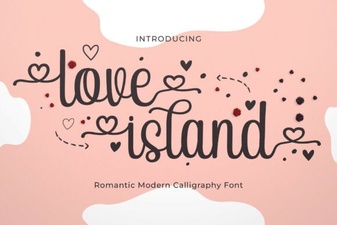 Love Island Font – Free Stylish Typeface for Bold Designs
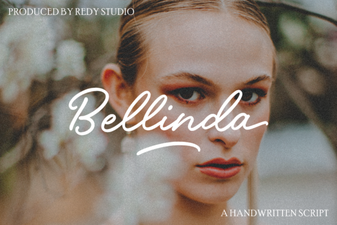 Bellinda: Elegant Modern Calligraphy Font for Creative Projects
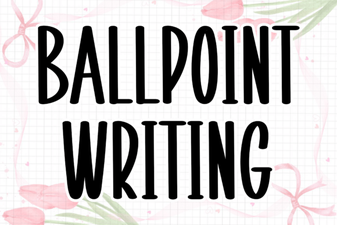 Ballpoint Writing Font: Handwritten Style for Creative Projects
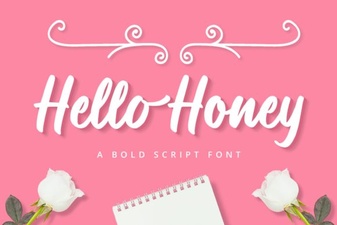 Hello Honey Font - Free Script Font Download
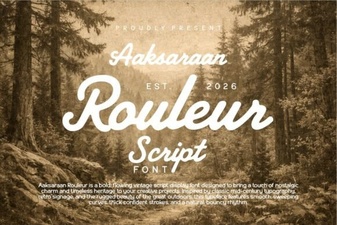 Aaksaraan Rouleur Font: Bold and Elegant Typography for Designers
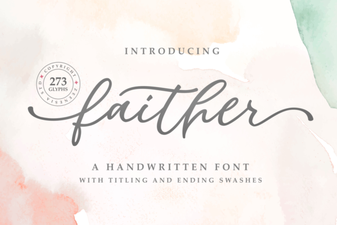 Faither Font: Elegant Typeface for Creative Projects