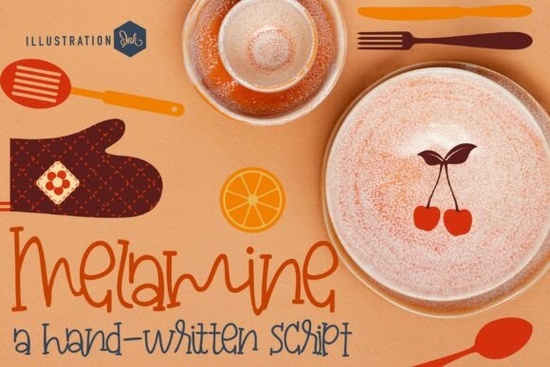
The Melamine Font is a playful, mid-century display typeface designed to bring a warm, handmade feel to any creative project. With its looped crossbars, slender cursive strokes, and retro-casual personality, it captures the charm of 1960s recipe cards and vintage kitchenware. If you're a designer, crafter, or small business owner looking for a typeface that feels approachable and nostalgic without being overly formal, this one deserves a closer look.
What Makes Melamine Different from Other Script Fonts?
Plenty of script fonts aim for a handwritten look, but few nail the specific warmth that Melamine Font delivers. The characters have high-seated ascender stems and loop-de-loop crossbars that give each letter a slightly whimsical, kitchen-table quality. It doesn't try to look polished or corporate. Instead, it leans into the imperfect, cozy feel of something you'd find on a handwritten label in a farmhouse pantry.
Compared to cleaner options like the Chalk Font, which mimics the look of chalkboard lettering, Melamine has more movement and flow. It feels less structured and more spontaneous, which works beautifully for brands that want to come across as friendly and personal.
What Projects Work Best with a Retro Handwritten Typeface?
Melamine is built for projects where warmth and personality matter more than formality. Here are some practical uses:
- Artisanal bakery logos – The handwritten cursive style pairs perfectly with small-batch, homemade branding.
- Custom cafe menus – Its readability at display sizes makes it great for menu headers and section titles.
- Preserve and jam labels – The retro feel complements vintage-style packaging for homestyle products.
- Apron and textile packaging – Boutique culinary brands can use it for hang tags, tissue paper prints, and fabric labels.
- Social media graphics – Bold enough for Instagram titles and Pinterest pins related to cooking, baking, or lifestyle content.
- Print-on-demand products – Mugs, tea towels, and kitchen wall art with a cozy, nostalgic vibe.
For designers working on POD platforms, this kind of retro cursive font tends to perform well in the home and kitchen niche, where buyers respond to designs that feel handmade and authentic.
How Does Melamine Compare to Other Popular Script Fonts?
Choosing the right script font depends on the mood you're going for. If you want something sweet and romantic, a font like Hello Honey Font offers a flowing, elegant style suited for wedding invitations or feminine branding. For a bolder, island-inspired feel, Love Island Font brings a more tropical, casual energy.
Melamine sits in its own lane. It's not romantic or tropical. It's kitchen-cozy. The vintage display font qualities slender strokes, friendly spacing, and a slightly uneven baseline make it feel like something a real person wrote, not something a computer generated. That authenticity is exactly what makes it work so well for food-related branding and indie product packaging.
If you prefer something with a more decorative, ornamental touch, the Faither Font leans into a more embellished script style. Each of these fonts serves a different creative purpose, so it's worth thinking about the overall tone of your project before picking one.
What File Formats and Features Does It Include?
Melamine comes in standard font formats compatible with most design software, including Adobe Illustrator, Photoshop, Canva, and Cricut Design Space. It works well for both digital and print projects, so whether you're designing a logo on screen or cutting vinyl for a physical product, the font holds up cleanly at various sizes.
As a display typeface, it's best suited for headlines, logos, and short text blocks rather than body copy. Keep that in mind when planning your layout pair it with a simple sans-serif or clean serif font for longer descriptions or ingredient lists.
Quick Checklist Before You Start Designing
- Define your project type – Logo, menu, label, social media graphic, or POD product?
- Test readability – Preview the font at the size you'll actually use it. Display fonts can look very different at small sizes.
- Pair it wisely – Combine Melamine with a neutral body font to keep your layout balanced.
- Check licensing – Make sure the license covers your intended use, especially for commercial or POD projects.
- Download and experiment – Grab the font and mock up a few options before committing to a final design.
Tip: If you're building a brand identity for a food or kitchen business, consider creating a simple style guide that shows how Melamine works alongside your chosen color palette and supporting fonts. This keeps your branding consistent across packaging, social media, and print materials.
You can find the full details and download the font here if you're ready to add it to your toolkit.
Download Now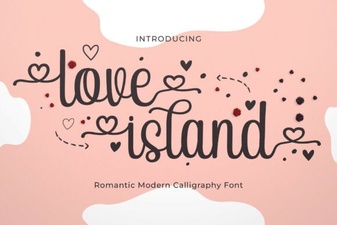 Love Island Font – Free Stylish Typeface for Bold Designs
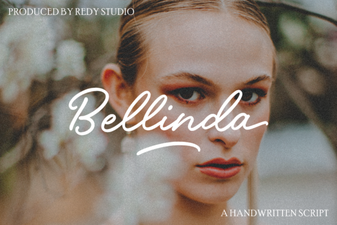 Bellinda: Elegant Modern Calligraphy Font for Creative Projects
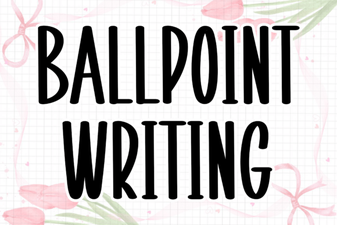 Ballpoint Writing Font: Handwritten Style for Creative Projects
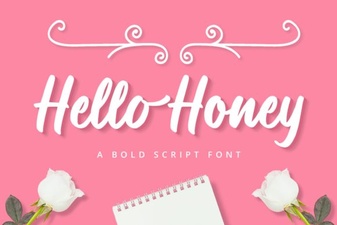 Hello Honey Font - Free Script Font Download
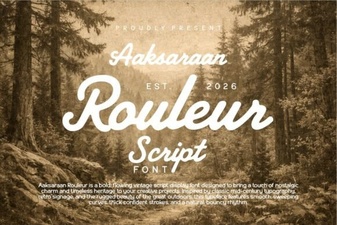 Aaksaraan Rouleur Font: Bold and Elegant Typography for Designers
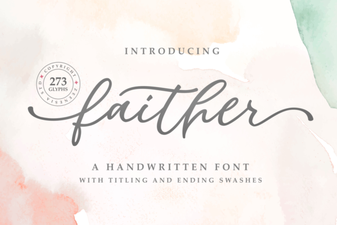 Faither Font: Elegant Typeface for Creative Projects