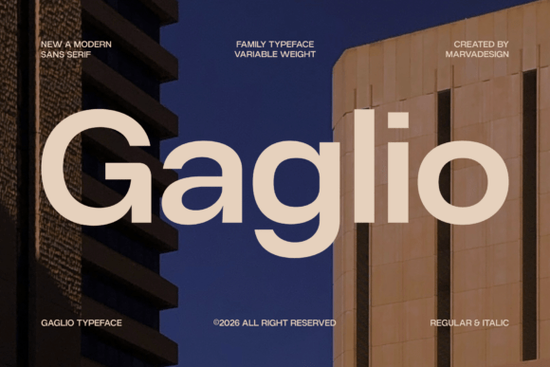
If you've been searching for a clean, geometric sans serif that works across branding, editorial, and digital projects, the Gaglio font is worth a closer look. It's a modern typeface family built with architectural precision and a variable weight system, making it flexible enough for corporate identities, tech logos, and mobile interfaces alike.
What makes Gaglio different from other sans serif fonts?
Gaglio stands out because of its geometric structure paired with generous apertures and a large x-height. That combination means your text stays readable even at smaller sizes something many geometric fonts struggle with. It ships with both regular and italic styles, and the variable weight system lets you adjust thickness to match the mood of your project.
Compared to a typeface like Savora, which leans into slightly more expressive letterforms, Gaglio keeps things tight and structured. If your work calls for a polished, no-nonsense aesthetic, it delivers without feeling cold or sterile.
Who is this font best suited for?
Gaglio works well for a range of creative professionals:
- Print-on-demand sellers who need legible, stylish text for apparel and merchandise designs
- Small business owners building brand identities from scratch logos, business cards, packaging
- Graphic designers working on editorial layouts, pitch decks, or website mockups
- Crafters and hobbyists creating invitations, planners, or social media graphics
It's the kind of font that doesn't demand attention but still makes everything around it look more intentional.
Does it pair well with other fonts?
Absolutely. One of Gaglio's strengths is how easily it sits alongside other typefaces. Its clean geometry makes it a natural match for fonts with more personality. Pairing it with something like Ragonte, for instance, creates a nice contrast between structured headings and more expressive body text or accents.
You can also find it bundled with other compatible typefaces in modern sans serif bundles, which is a practical way to build out a full font library without spending hours testing combinations yourself.
What kinds of projects does it handle well?
Here are a few specific use cases where Gaglio really fits:
- Corporate branding Its authority and clarity work well for logos, letterheads, and brand guidelines
- Editorial design The large x-height keeps body text readable in magazines, reports, and long-form content
- Digital interfaces Clean letterforms scale well on screens, from desktop dashboards to mobile apps
- Tech startup identities That minimal, architectural feel matches the aesthetic many startups go for
- Planners and printables If you're making digital planners, a font like Life Planner Duo offers a more casual complement, while Gaglio's regular weight keeps things organized and clean
Are there similar fonts worth considering?
If you like Gaglio's direction but want to explore alternatives, there are a few other options worth checking out. Savora is a solid choice if you want something slightly softer. Ragonte works well if you need more editorial character. And if you're looking for variety in one purchase, browsing through sans serif font bundles can save you both time and money.
You can explore Gaglio and related fonts directly on Creative Fabrica to see samples and licensing details before you commit.
How do I choose the right weight for my project?
Since Gaglio includes a variable weight system, picking the right one depends on context:
- Light to regular weights work best for body text and longer passages where readability matters most
- Medium to semi-bold hits a nice middle ground for subheadings, captions, and UI labels
- Bold to heavy is ideal for headlines, logos, and any text that needs to command attention at a glance
Always preview at the actual size your audience will see whether that's a printed product listing, a mobile screen, or a billboard mockup. What looks balanced at 72pt might feel too heavy at 12pt.
Quick checklist before you start using Gaglio
- Test multiple weights Don't just default to regular. Try lighter and heavier options to see what fits your layout
- Check readability at your target size Preview text at the actual dimensions it'll appear in your final design
- Pair it intentionally Use Gaglio for one role (headings, body, or UI) and a complementary font for the others
- Verify the license Make sure your intended use commercial POD, client work, or personal projects is covered
- Download the italic style too Italic styles add subtle variety without introducing a whole new typeface
Start by testing Gaglio on one real project before rolling it across your entire brand or product line. That gives you a feel for how it actually performs in your specific workflow, not just in a preview window.
Get Started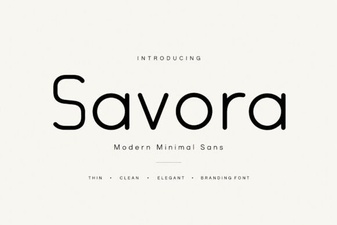 Savora Font: a Clean Modern Typeface for Creative Projects
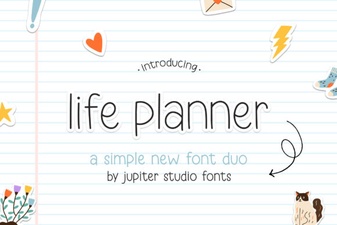 Life Planner Duo Font: Stylish Pairings for Creative Planning
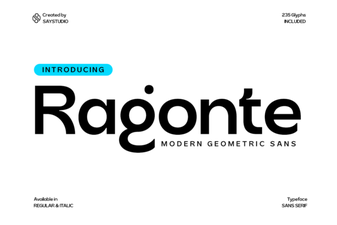 Ragonte Font: a Modern Typeface for Creative Projects
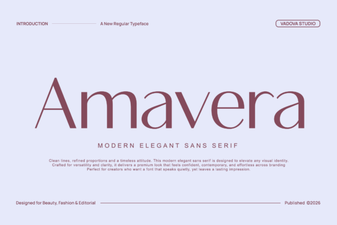 Amavera Font - Modern Sans Serif Free Download
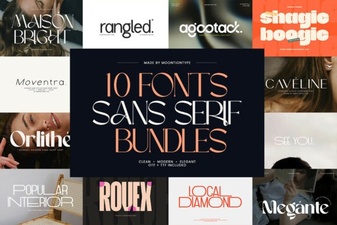 Modern Sans Serif Font Bundles for Creative Design Projects
 Atletico Ttf Rhinestone Font for Bold Craft Projects