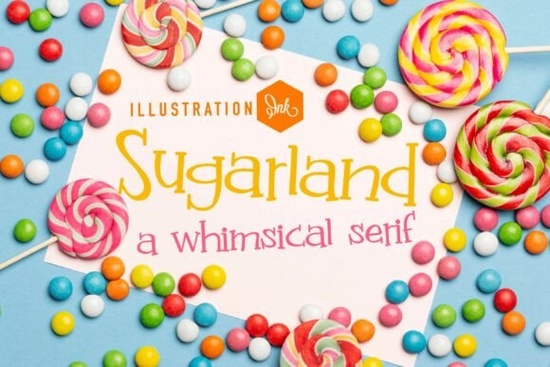
If you've been searching for a typeface that feels like it was pulled from a storybook illustration, the Sugarland Family Font is worth a close look. It's a display typeface with tall, slender letterforms, mismatched line weights, and playful asymmetrical details that give it a distinct personality. Whether you're designing packaging for a small craft business or creating social media graphics, this font brings a whimsical, handmade quality that's hard to replicate with standard fonts.
What Makes Sugarland Different from Other Whimsical Fonts?
Most whimsical or playful fonts lean heavily into cartoon territory. Sugarland takes a different approach. Its mismatched line weights and off-kilter serifs create something that sits between a nostalgic storybook title and modern indie branding. The letterforms are light and airy, which means they don't overwhelm a design they add character without shouting.
Think of the difference between a font you'd see on a generic party invitation and one that looks like it belongs on a boutique chocolate wrapper. That's the space Sugarland occupies. It's quirky, but it's refined enough for professional use.
Who Is This Font Best Suited For?
Sugarland works especially well for:
- Independent toy stores that want a friendly, approachable brand identity
- Boutique bakeries and confectionery brands looking for packaging that stands out on shelves
- Print-on-demand sellers creating playful t-shirt designs, mugs, or tote bags
- Social media managers who need headers and graphics that feel creative and carefree
- Crafters and hobbyists making greeting cards, scrapbook layouts, or party decorations
If your work involves anything aimed at families, children, or the handmade market, this typeface fits naturally. For designers who also work with elegant serif options, pairing Sugarland with something like a classic serif option like Rofina for body text can create a nice contrast between playful and polished.
How Does Sugarland Pair with Other Fonts?
Display fonts like Sugarland are meant for headlines, titles, and short bursts of text. They're not designed for long paragraphs. So pairing them with a clean, readable companion font is important.
For a balanced layout, try combining Sugarland with a straightforward serif or sans-serif for your supporting text. If you want a slightly vintage feel alongside it, a typewriter-style option gives a retro look that complements Sugarland's handmade vibe without competing with it.
On the other hand, if you're going for something softer and more feminine, a delicate script alternative offers gentle curves that work well in wedding stationery or lifestyle branding alongside Sugarland's playful energy.
Where Can I Download Sugarland?
You can find the Sugarland Family Font on Creative Fabrica. The family includes multiple styles, giving you flexibility across different design contexts. You can explore the full Sugarland typeface family to see all available weights and variations.
While you're browsing, it's worth checking out other display options too. Orlington is another strong choice if you need something with a different character but similar versatility for branding projects.
Does Sugarland Work for Commercial Projects?
Yes. When you download through Creative Fabrica, the licensing covers both personal and commercial use, depending on your subscription or purchase type. This means you can use Sugarland for client work, product packaging, merchandise, and digital content without worrying about licensing issues. Always double-check the specific license terms on the download page to make sure your intended use is covered.
Tips for Getting the Most Out of Sugarland
Here are a few practical suggestions based on how this typeface is designed:
- Use it at larger sizes. The quirky details the curling accents and uneven serifs lose their charm when the text is too small.
- Don't overuse it. One or two lines of Sugarland is plenty. Pair it with simpler fonts for the rest of your layout.
- Experiment with spacing. A little extra letter spacing can help the tall, slender forms breathe better in headers.
- Try it in color. Sugarland looks great in soft pastels, earthy tones, or bold single-color applications it adapts well depending on the mood you're going for.
Quick Checklist Before You Start Designing
- Download the font and install it on your system
- Test it at different sizes to find the sweet spot for your project
- Choose a complementary font for body text
- Pick a color palette that matches the whimsical tone
- Create a sample layout before committing to a final design
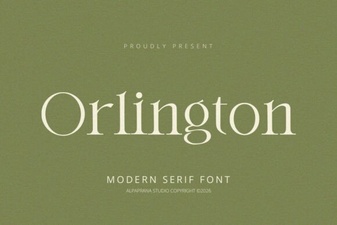 Orlington Font: Modern Typography for Creative Projects
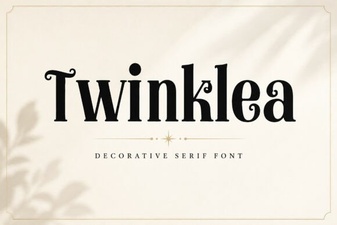 Twinklea Font: Elegant Typography for Creative Design Projects
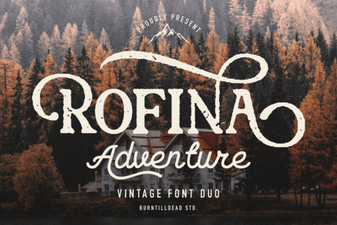 Rofina Font: Creative Design Ideas
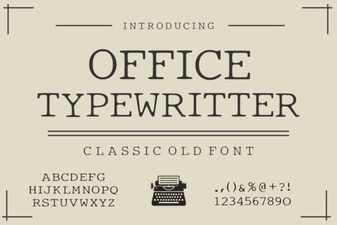 Office Typewriter Font Free Download – Classic Serif Typewriter Style
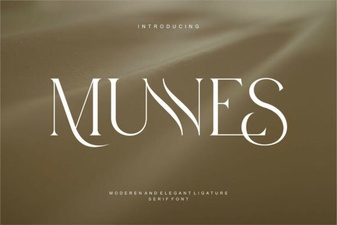 Munnes Font: a Creative and Versatile Typeface for Designers
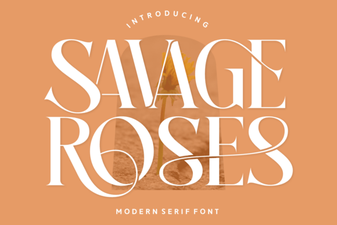 Savage Roses Font: Bold Floral Typography for Creative Projects